Claude Code · AI Development · Real-World Experience
By Entangled8qubit & Claude Sonnet 4.6 May 17th 2026
The Breaking Point
Two months. That’s how long I spent banging my head against the wall trying to get Claude Code to follow instructions while building a modern web CRM for an Illinois-based international shipping company — replacing a legacy Microsoft Access system that had accumulated decades of business logic.
The company has been in business for over 50 years. The Access system came much later, but by now it had grown into a substantial database with thousands of customers and records accumulated over decades. It worked — Not as expected. The new system kept breaking because Claude Code — despite being genuinely brilliant at writing code — had a by-design flaw that Anthropic hasn’t fully solved yet.
It forgets your instructions.
I was ready to cancel my subscription. Then I found a fix. And then we built something remarkable together.
The Problem Nobody Talks About
Claude Code reads your CLAUDE.md file at the start of every session. You pour your non-negotiable rules into it: “Don’t touch the login files. Don’t change the database adapter. Ask before doing anything structural.” And for the first dozen messages, it listens.
Then context compaction happens.
When a conversation gets long enough, Claude Code summarizes its history to free up memory. It’s a necessary technical mechanism. But the summary treats your instructions the same way it treats everything else — with a soft “may or may not be relevant” framing. By message 40, your carefully crafted rules are suggestions, not laws. By message 60, Claude is “helping” by rewriting your authentication system while you asked it to add a button.
In two months of work on this project, I had:
- Two branches destroyed by Claude touching protected files
- Multiple production outages from deploying broken code
- Certificate-based authentication broken twice — the most critical part of the infrastructure
- One session that ran for 15+ hours and 107,000 tokens before I realized it had gone completely off the rails
The worst part? I had good instructions. Detailed CLAUDE.md. Clear rules. It didn’t matter. The instructions faded.
Anthropic acknowledges this: Their own documentation notes that “early instructions can get lost during compaction” and recommends using CLAUDE.md for persistent rules. That recommendation alone doesn’t solve it — you need more.
What Didn’t Work
Before finding the solution, I tried everything obvious:
Longer CLAUDE.md
More text means more to summarize away. It made things worse.
Shouting in caps
“DO NOT TOUCH THIS FILE UNDER ANY CIRCUMSTANCES” gets summarized to “user prefers not modifying that file.” Same result.
Repeating instructions every few messages
Helped a little, exhausting in practice, and Claude Code still drifted by the end of long sessions.
Shorter sessions
Better, but didn’t solve the root cause. Instructions still faded after compaction, just slower.
The Fix That Actually Worked
The solution came from a community article by Albert Nahas on dev.to: “Your CLAUDE.md instructions are being ignored. Here’s why and how to fix it.”
The key insight: CLAUDE.md gets soft-framed during compaction. The claude-core-values plugin bypasses this by injecting your rules as a system-reminder — a different, higher-priority channel that survives compaction.
Installation (inside a Claude Code terminal session):
/plugin marketplace add albertnahas/claude-core-values
/plugin install claude-core-values@claude-core-values
/reload-plugins
/claude-core-values:core-values init
Choose the Craftsman template: “No half solutions. Fix the root cause. No shortcuts.”
This helped significantly. But it wasn’t enough on its own.
The real enforcer: a pre-commit hook
No matter how good the instructions, Claude Code can always rationalize touching a file it shouldn’t. The only way to truly prevent it is to make it physically impossible to commit the violation. I added a git pre-commit hook that blocks commits to protected files:
#!/bin/sh

FORBIDDEN="
src/auth/hooks.server.ts
src/routes/login/+page.svelte
src/routes/login/+page.server.ts
src/lib/db/index.ts
Dockerfile
"

for f in $FORBIDDEN; do
  if git diff --cached --name-only | grep -q "^$f$"; then
    echo "BLOCKED: $f is a protected file."
    exit 1
  fi
done
List whatever files are critical to your project. Save this as .git/hooks/pre-commit and make it executable. Now Claude Code cannot commit to those files. The hook fires before every commit and aborts if forbidden files are staged. No amount of instruction drift can override it.
The combination that works:
Core-values plugin → rules survive compaction | Pre-commit hook → rules are physically enforced | Short sessions → context stays fresh
Using Claude to Supervise Claude Code
This is the part nobody expects: I kept a separate Claude chat session open alongside Claude Code the entire time. Not for coding — for oversight.
Claude Code lives in your terminal. It can read files, run commands, and deploy to production. But it can’t see its own output the way a human reviewer would. That’s where the Claude chat window came in. Whenever Claude Code produced something I wasn’t sure about — a build error, a suspicious git diff, a deploy that behaved unexpectedly — I’d paste it straight into the Claude chat and ask “what went wrong?” or “is this diff safe to commit?”
The dynamic that emerged was genuinely useful:
- Claude Code does the work — reads files, writes code, runs commands, deploys
- Claude chat acts as the senior reviewer — interprets output, catches mistakes, generates the next handoff prompt, and writes this article
In practice this meant: Claude Code would hit a build error and start spinning. I’d copy the error log into Claude chat, get a clear diagnosis in seconds, then paste the fix back into Claude Code as a precise instruction. No guessing, no 20-minute rabbit holes.
It also meant that when Claude Code violated the rules — touching a protected file, deploying to the wrong platform — the chat session was my rollback advisor. “What’s the fastest way to undo this?” answered in plain language, not terminal output I had to interpret under pressure.
Think of it as pair programming where one partner is in the terminal and the other is looking over their shoulder. Both are Claude. Both are useful. Neither replaces the human in the loop.
The Handoff Prompt System
With Claude Code, every new session starts fresh. The solution is a handoff prompt — a document you paste as your first message that gives the new session complete context:
- What the project is and what’s already built
- Which files are protected and why
- The exact deploy commands
- Known gotchas and pre-existing bugs
- The current task
We updated this prompt after every major milestone. By the end, it was a living document that made every new session immediately productive — and prevented Claude from “rediscovering” problems we’d already solved.
What We Built
With the right guardrails in place, the work accelerated dramatically. Starting from a legacy Access database, we built:
The foundation
- A modern web stack backed by a cloud database, syncing nightly from the legacy system
- Certificate-based authentication — zero passwords
- Fully automated sync pipeline running on a schedule
The application
- Searchable, filterable records list with pagination and configurable columns
- Per-row action menu: View, Edit, Duplicate, Delete
- Multi-tab add/edit form covering all aspects of a record
- Duplicate record — one click copies key info to a new entry, eliminating repetitive data entry for returning customers
- Full management of related sub-records and line items
The automation
- Bulk notifications — preview first, then send personalized messages to entire customer groups simultaneously
- Live progress stream showing results per recipient in real time
- Automatic summary log after every bulk operation
The legacy migration approach
- Exported all legacy forms, queries, reports, and code modules to the repository
- Claude Code reads these files to understand exact business logic before reimplementing
- Gap analysis: Claude inventoried every feature in the legacy system, categorized by priority and risk
The Methodology That Emerged
- Phase it ruthlessly. Don’t try to build everything at once. Define features in groups by risk level. Low risk first, high risk last.
- Read before writing. Always start with a read-only analysis phase. Understand what exists before adding anything new.
- Physical guardrails beat procedural ones. A pre-commit hook that physically blocks bad commits is worth more than 1,000 words of instructions.
- Handoff prompts are infrastructure. Treat them like code. Version them. Update them after every milestone.
- Test before merge. Every feature tested in production before a PR. Every PR reviewed before merge.
- When it asks before acting, that’s the feature working. The best sessions were when Claude stopped and said “should I do X?” — not when it just did it.
The Honest Failures
This article wouldn’t be honest without acknowledging what went wrong:
- Claude deployed to the wrong cloud platform because an unused connector was still active. Fix: disconnect integrations you don’t use.
- It used wrong shell syntax in a script, creating a broken rollback tag. Fix: hardcode critical values when shell syntax is uncertain.
- It modified protected files multiple times despite explicit prohibition. Fix: the pre-commit hook.
- It ran the wrong build configuration, deploying the wrong container. Fix: explicit build commands in the handoff prompt.
- A 500MB folder of legacy source exports was uploaded to Cloud Build on every deploy, causing near-timeouts. Fix:
.gcloudignore.
Every failure produced a rule that went into the next handoff prompt. The failures weren’t wasted — they were the curriculum.
Should You Keep Your Subscription?
If you’re using Claude Code for real production work and hitting the instruction-following wall: yes, keep it. But you need the right setup.
- Install the
claude-core-valuesplugin - Add a pre-commit hook for your critical files
- Write and maintain handoff prompts
- Keep sessions short —
/clearis your friend - Always check your git diff before approving commits
- Disconnect integrations you don’t use
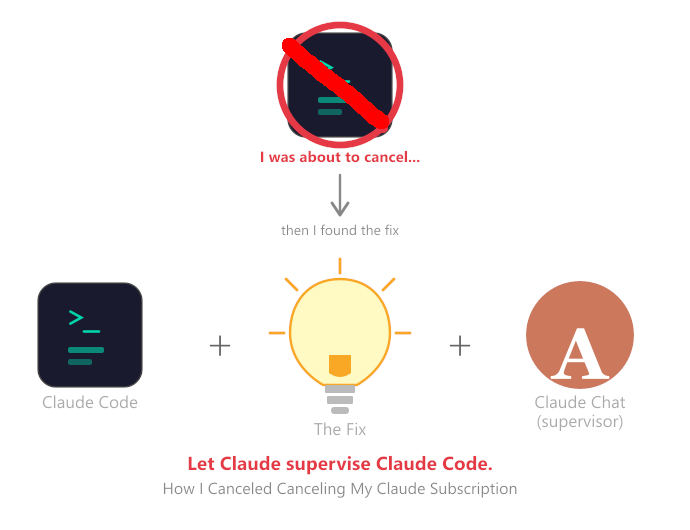
- ⭐ Maybe the MOST IMPORTANT STEP: Keep a Claude chat window open alongside Claude Code! — use it to interpret errors, review diffs, and generate your next handoff prompt. Let Claude supervise Claude Code.
Claude Code is genuinely extraordinary at reading complex codebases, understanding business logic from legacy source files, and generating production-quality implementations. The instruction-following problem is real — Anthropic has written about it openly — but it’s solvable. Once solved, you get a collaborator that can hold the entire architecture of a complex system in its head while writing new features. That’s something no human developer can fully do alone.
I canceled canceling my subscription.
Further Reading
- Effective Context Engineering for AI Agents — Anthropic Engineering
- Best Practices for Claude Code — Official Docs
- Your CLAUDE.md Instructions Are Being Ignored — Albert Nahas on dev.to
- Long-Running Claude for Scientific Computing — Anthropic Research
Yours truly,
#Entangled8Qubit & Claude Sonnet 4.6
#Entangled8Qubit is an IT solutions architect and developer based in the Chicago area, working across shipping, hospitality, and AI projects.
Claude Sonnet 4.6 is an AI assistant made by Anthropic. This article was written collaboratively — the experiences and opinions are the human author’s; the prose was shaped by both.
Leave a Reply